Emergency Management with EVA Check-in

EVA Check-in has you covered for emergency management with evacuationmanagement, worker SOS/panic requests, and broadcast comms.

Book a demo

Preparation for Evacuation

At check-in, display a muster location map and track who will need in assistance in event of evacuation:

EVA Check-in can show diagrams and videos aspart of the check-in flow, it can also provide additional information aftercheck-in.

Whether visitors or workers will need assistancein the event of an evacuation is shown on the live visitor view and evacuationreports

pc
phoneshield

Run Evacuations

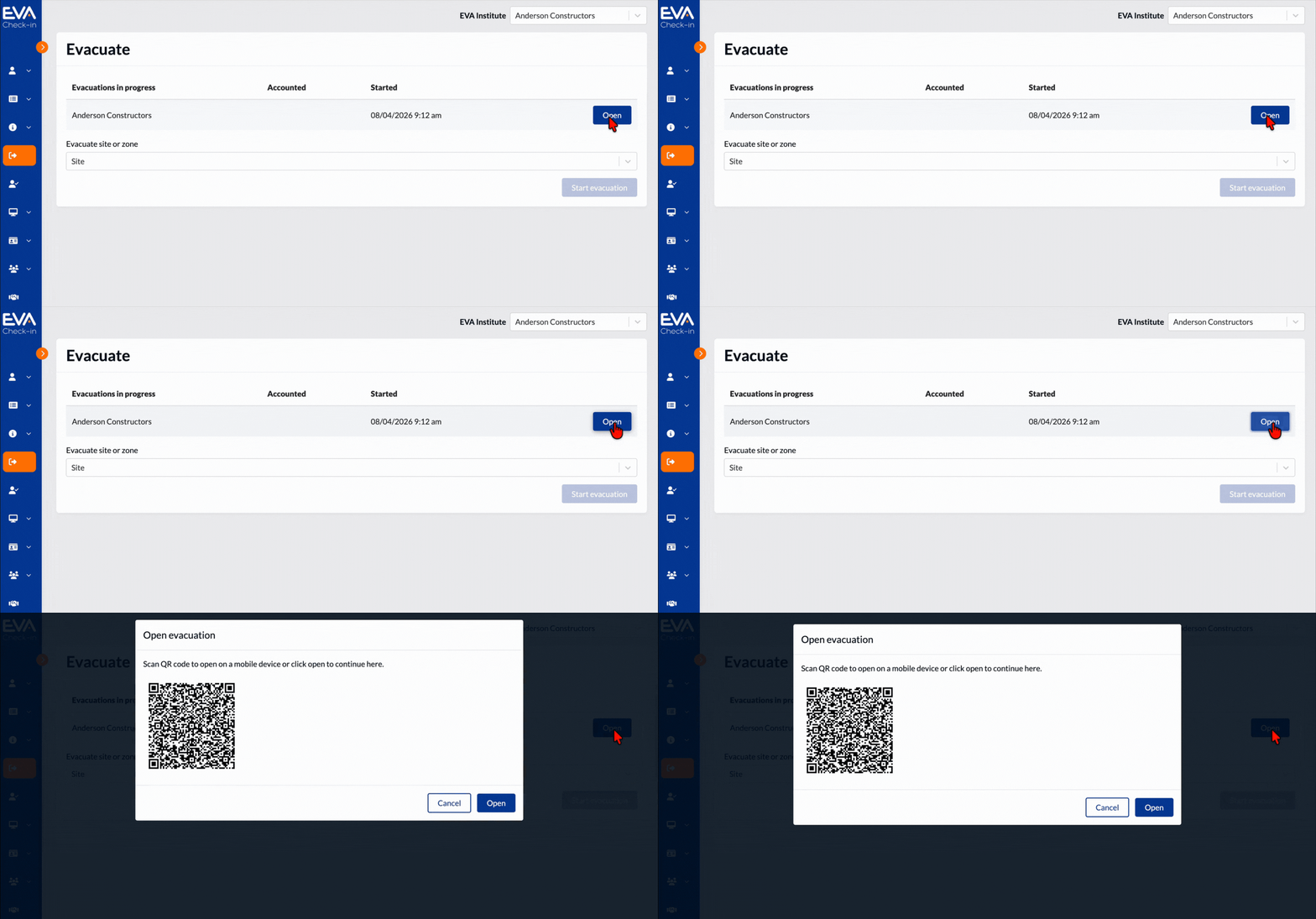
Make use of real-time rollcalls and multi-warden musters for fast, accurate evacuations. Track who’s safe instantly with EVA Check‑in via the mobile app.
Wardens verify safety in real time during every evacuation.
People can also self-account as safe

Warden alerts: All wardens get a broadcast message as soon as one warden starts the evacuation.
View evacuation rollcall directly in the EVA Check-in app with live updates

Keep everyone informed during an evacuation with EVA Check‑in.
Send pre-saved or custom alerts to all accounted or unaccounted workers and visitors.

Worker SOS (Panic Alert)

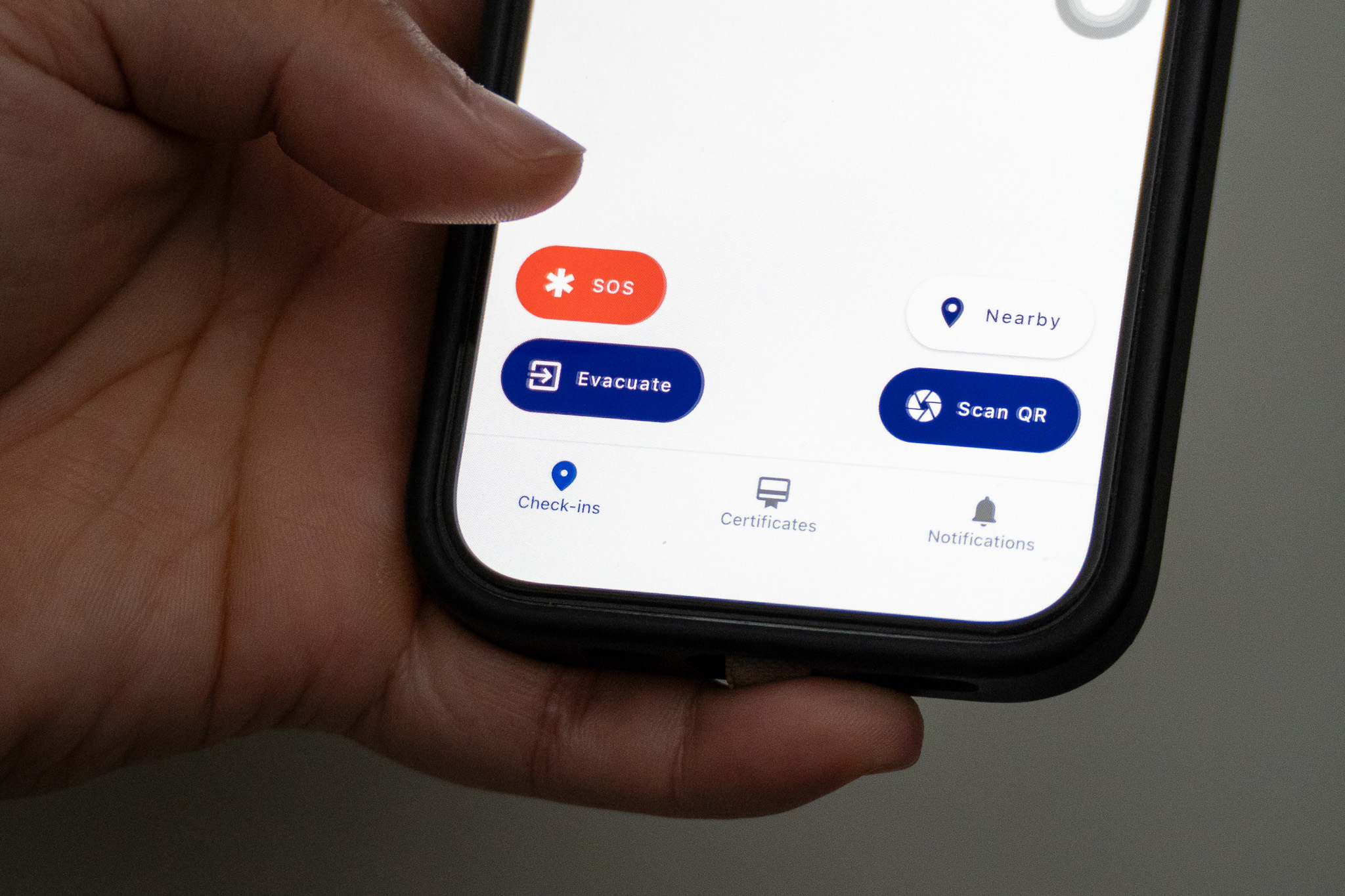
Workers can request instant on‑site assistance with one tap in the EVA Check-in mobile app.
Get assistance from nearby colleagues and assigned staff with a single tap to accelerate onsite support.

EVA Check-in shares contact details, last known location and battery status of SOS requester to speed up assistance.
Coordinators can triage help and manage responder safety.

Responders can acknowledge the request and get live updates from the requester with messages.

Note:
For life-threatening situations emergency services should still be used. Local colleagues may be able to assist quickly, and when the help is of a less critical nature.

Map
pc

Broadcast Comms

Broadcast comms to all people checked in for any reason including emergencies. Create pre-saved templated messages so you can pick and send rather than writing in the moment.

Broadcast to groups defined by site area or across multiple sites.

For evacuations, broadcast to all people onsite or only unaccounted.  And for SOS incidents reach nominated, or all available staff fast.

Broadcast evacuation and SOS messages across channels to ensure critical information reaches all staff and responders immediately.

Evacuation and SOS Reporting

Evacuation reporting: Generate post-evacuation reports for compliance, debriefs and continuous improvement with EVA Check‑in.

Produce audit-ready post‑evacuation reports that capture rollcall data, timestamps and incident notes for review.

SOS reporting:  See a log of previous SOS requests for audit purposes.

pc

What’s the difference between Premium Kiosk and Standard Kiosk?

Feature

Standard

Premium

Designed for

Apple/Android tablets
Yes
No
Designed for Windows touch screens (ideally >20 inches)
No
Yes

Branding options

Colours and logo
Yes
Yes
Image background
Yes
Yes
Video background
No
Yes
Custom welcome text
No
Yes
Remove EVA branding*
No
Yes

Check-in process

Custom check-in questions and workflow*
Yes
Yes
Multi-language support*
No
Yes
Select host via photo carousel
No
Yes

Label printing and scanning options

Wireless label printing (iPad only)
Yes
No
Wired label printing
No
Yes
Supports dedicated barcode/QR scanner
No
Yes
Supports camera
Yes
No
Contactless QR sign-in option
Yes
No
* Additional fees apply

One tool to verify both suppliers and individual contractors

Add your suppliers. Account setup emails are sent to suppliers.

EVA Check-in guides suppliers to complete details.

Once approved, the supplier is added to approved supplier database.

Contractors select their employer (the approved supplier) at sign-in. Then complete a personal induction.

Suppliers and individual contractors are both verified.

Emergency management features

Security built-in
Security built-in

ISO 27001 certified, end-to-end encryption

Supplier database
Supplier database

Create a verified supplier database for others in your organization to use

Supplier portal
Supplier portal

An easy-to-use portal to manage vendor verification

Supplier workflows
Supplier workflows

Workflows to support and manage vetting suppliers.